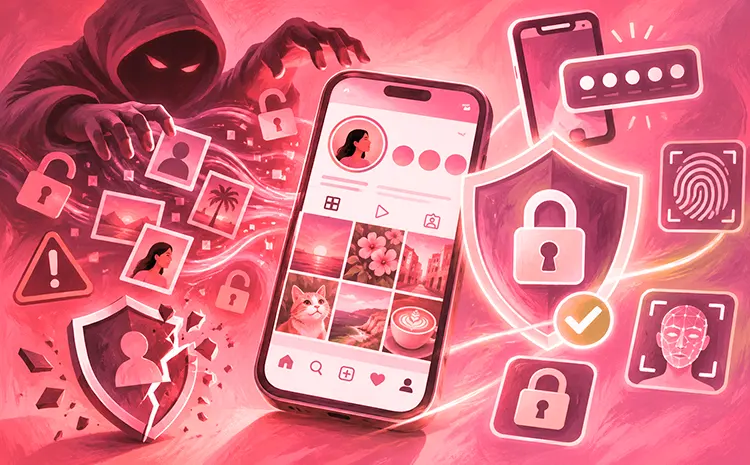
Millions of Instagram user accounts are circulating in underground forums. These leaks could result in deceptively realistic phishing emails that use your personal data. Consumer protection agencies explain the background and offer tips on how to protect your account.
Key Points About the Instagram Data Leak
Here are the key points:
- Millions of profile data points, such as usernames and email addresses, were automatically extracted and are circulating in underground forums. Passwords were not affected.
- The result could be deceptively realistic phishing emails that use your personal data.
- As a precaution, change your password and enable two-factor authentication.
What Happened in the Instagram Data Leak?
In early January 2026, a dataset containing information on several million Instagram profiles appeared on a hacker forum. The data was obtained through automated extraction of programming interfaces—a process known as scraping.
The data includes profile names, display names, and sometimes location information. As far as is known, no passwords or similarly sensitive access information are contained in the data set.
Why Am I Receiving an Instagram Password Reset Email?
That’s unclear. Criminals may have tested whether your email address belongs to an Instagram account. Anyone can click “Forgot password” on the login page and enter an email address. If an Instagram account exists for that address, the page will display the message: “We’ve sent you a link via email to xxx that will allow you to regain access to your account.” This tells the criminals that the email address is genuine and linked to the corresponding Instagram account, and they can then sell it for a higher price, for example, on the dark web.
In parallel, on January 11th, Instagram published the following statement on the microblogging service Threads (translated from English): “We have fixed an issue that allowed third parties to request password reset emails for some users. There was no security breach in our systems, and your Instagram accounts are secure. You can ignore these emails—we apologize for any confusion caused. “It is unclear whether there is any connection to the allegedly published data.
What Are the Risks of the Instagram Data Leak?
Phishing Attacks
Using the leaked data, criminals can send deceptively authentic messages—via email, SMS, or messaging services—pretending to be from Instagram. Because these messages contain your real username and other personal details, they appear particularly credible and could trick you into revealing further information.
Identity Theft
Scammers could use the stolen information to create fake profiles that mimic your real profile. These fake accounts could then be used to contact people in your name or to carry out scams.
Also Read: 10 Most Common Application Vulnerabilities and How to Prevent Them
Instagram Data Leak Risks and Protection Measures
| Potential risk | How to protect yourself |
| Phishing emails using personal information | Avoid clicking suspicious links and verify messages through Instagram directly. |
| Fake Instagram profiles | Report accounts impersonating you and warn your contacts. |
| Unsolicited password reset emails | Ignore reset requests you did not initiate. |
| Unauthorized account access | Enable two-factor authentication. |
| Compromised passwords | Use a strong, unique password. |
| Suspicious login activity | Review your Instagram login activity regularly. |
How to Protect Your Instagram Account
This placement connects the risks section with the practical protection advice without repeating too much of the article.
- Ignore Password Reset Emails You Didn’t Request: Did you receive such an email without requesting it? Then you can simply delete it. Instagram advises against taking any action in this case.
- Reset Your Instagram Password: Use a unique, strong password for Instagram. Don’t use it anywhere else. If you’ve received an unsolicited password reset email and are unsure, you should change your password as a precaution.
- Enable Two-Factor Authentication: This additional security layer makes it much harder for attackers to access your account—even if they know your password. It’s best to use an authenticator app for this purpose, not SMS.
- Check Your Instagram Login Activity: In the settings under “Security,” you’ll find “Login activity.” Check if any unknown devices or locations appear. In Meta’s Accounts Center, you can see which devices are logged into which of the company’s services.
- Check Whether Your Email Address Appears in Data Leaks: Services like Have I Been Pwned or the Identity Leak Checker from the Hasso Plattner Institute show free of charge whether your email address appears in known data leaks.
- Avoid Links in Suspicious Emails: Make changes to your profile only directly in the Instagram app or on the official website. Do not click on any links in emails that claim to be from Instagram.
- Use a Password Manager or Passkeys: Such tools help to securely manage strong passwords and significantly increase security.
- Keep Your Security Software Updated: Keep your antivirus software up to date so that it can detect malware that could intercept login credentials.
Also Read: Some Instagram Tools To Better Manage Your Profile